Learning Guide
Prime Video English

How to seriously improve your English with Amazon Prime Video

Don’t stop at “just watching subtitles”. Build a loop that changes your listening.

* Shadowing Master is not affiliated with Amazon.
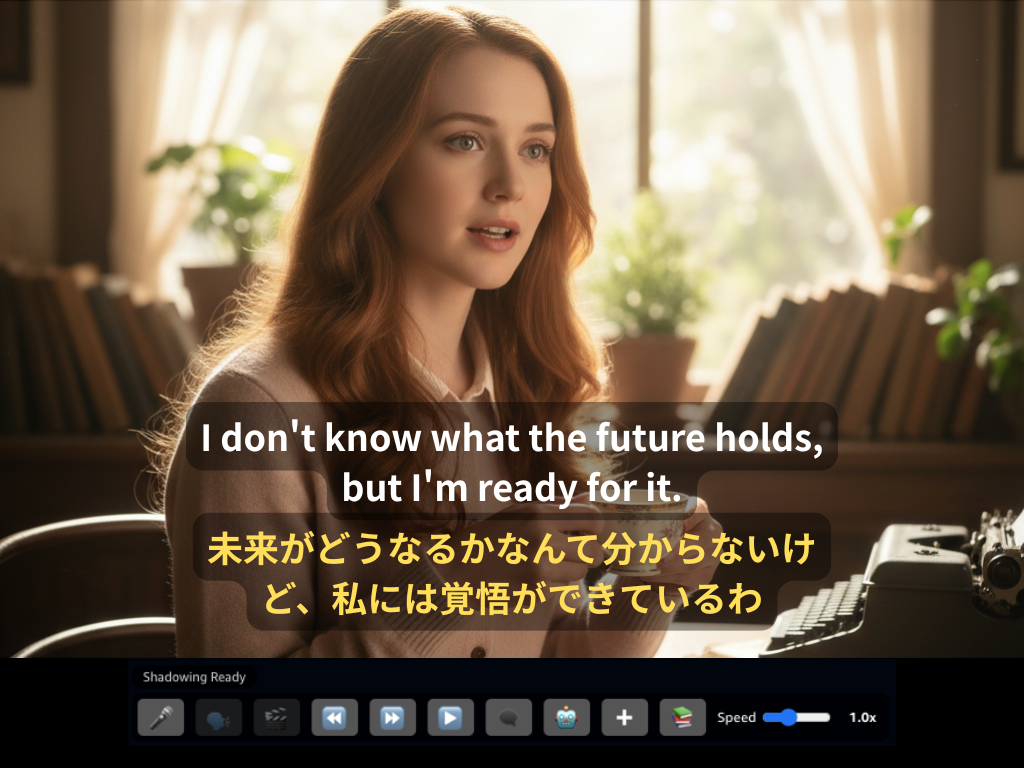
Shadowing Master screenshot

The Definitive Guide: Learn English with Amazon Prime Video

— A study plan that goes beyond reading subtitles —

Bottom line

You can improve your English with Amazon Prime Video if you use the right method. But many learners fall into this trap:

❌ “If I watch with English subtitles, I’m studying.”

This guide explains why you’re not improving, what to do instead, and the fastest route in a simple order.

Common question (AEO)

Q. I study English on Amazon Prime Video, but my listening doesn’t improve. Why?

A. There are three main reasons.

Reason 1: You feel satisfied because you “read” subtitles

Dual subtitles can make you feel like you understand—but often you’re not processing the audio. You’re filling meaning with text.

These don’t stick from subtitles alone.

Reason 2: You stop at “listening”

Many learners just listen and feel like they got it. But listening improves when you can produce the sounds.

👉 You can usually hear clearly only what you can say clearly.

Reason 3: You don’t check your pronunciation

The biggest issue: you don’t know how far your English is from native speech. If you can’t see the gap, you can’t fix it.

The right workflow (Prime Video)

Step 1: Understand the story (1st pass)

👉 This pass can be pure entertainment.

Step 2: Match sound to text (2nd pass)

Step 3: Shadowing (most important)

  1. Listen to the native audio
  2. Speak immediately after
  3. Record your voice
  4. Compare with the native audio

👉 Listen → speak → compare is the loop that changes your listening.

How to do this on Amazon Prime Video

Prime Video’s default player makes it hard to work phrase-by-phrase. It also doesn’t give you an easy way to record, compare, and get clear feedback.

Solution

That’s where “Shadowing Master” comes in

What is Shadowing Master?

A Chrome extension built for Amazon Prime Video to support shadowing, dual subtitles, and learning workflows.

What you can do with Shadowing Master

✅ Dual subtitles

Check meaning while keeping your attention on sound.

✅ Phrase-level replay

Repeat the exact segment you missed.

✅ Shadowing recording

Record your voice in one click.

✅ AI pronunciation feedback

Get concrete feedback on how your audio differs from native speech.

That “my pronunciation is different than I thought” moment becomes your turning point.

How is this different from Netflix tools?

They often focus on subtitle comprehension. Shadowing Master focuses on pronunciation and listening correction on Amazon Prime Video.

Netflix tools Shadowing Master
Main goal Subtitle comprehension Pronunciation & listening correction
Platform Netflix Amazon Prime Video
Feedback None AI feedback

Who is this for?

Next step

Try it and decide

Experience the loop: record → compare → improve.

https://shadowingmaster.net/

Summary